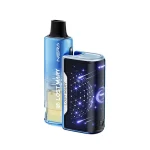
How Do I Know If My Geek Bar Pulse X 25K Is Empty?
Disposable vapes like the Geek Bar Pulse X 25K have revolutionized the vaping experience by offering convenience, high puff counts, and advanced technology in a compact design. However, one of the most common questions users ask is:
“How do I know if my Geek Bar Pulse X 25K is empty?”
Unlike refillable vapes, disposables don’t always make it obvious when they’re finished. Many users confuse a dead battery with an empty e-liquid tank, while others experience reduced vapor or flavor and aren’t sure what it means.
In this comprehensive guide, we’ll break down every sign, feature, and practical tip to help you confidently determine whether your Geek Bar Pulse X 25K is empty or just needs charging—or if something else is going on entirely.
Understanding the Geek Bar Pulse X 25K
Before diving into the signs of an empty device, it’s important to understand how the Geek Bar Pulse X 25K works.
Key Features of Geek Bar Pulse X 25K
- Up to 25,000 puffs
- Dual vaping modes (Pulse Mode & Regular Mode)
- Rechargeable battery
- Pre-filled e-liquid
- LED display / light indicators
- USB-C charging
- Mesh coil technology
Because the battery is rechargeable but the e-liquid is not refillable, users often assume the vape is empty when it actually just needs a recharge. Understanding this distinction is critical.
Why It’s Important to Know When Your Vape Is Empty
Knowing when your Geek Bar Pulse X 25K is empty helps you:
- Avoid burnt hits that damage the coil
- Prevent inhaling dry or harsh vapor
- Save time troubleshooting unnecessary issues
- Know when it’s time to replace the device
- Get the best flavor and performance
Using a disposable vape after it’s empty can permanently ruin the coil and lead to a poor vaping experience.
Clear Signs Your Geek Bar Pulse X 25K Is Empty
1. No Vapor Production
One of the most obvious signs is zero vapor output, even after charging.
If:
- The device lights up
- You inhale properly
- There is no vapor at all
Then the e-liquid is likely fully depleted.
2. Burnt or Extremely Harsh Taste
A burnt, dry, or unpleasant taste is a major red flag.
This happens when:
- There is no e-liquid left to saturate the coil
- The wick burns instead of vaporizing liquid
⚠️ Stop using the device immediately if you taste burning—it means the vape is empty or nearly empty.
3. Weak Flavor or Muted Taste
Before a Geek Bar Pulse X 25K runs completely dry, you may notice:
- Flavor fading
- Sweetness disappearing
- Vapor tasting “thin” or bland
This is often the final stage before the vape becomes empty.
4. Reduced Vapor Clouds
If your vape used to produce thick, satisfying clouds and now:
- Vapor is thin
- Clouds are inconsistent
- Hits feel weak
It’s likely running low on e-liquid, especially if charging doesn’t help.
5. LED Indicator Behavior
Many Geek Bar Pulse X devices use LED indicators to signal different conditions.
Common behaviors include:
- Blinking lights when empty
- No response after inhaling
- Different color patterns signaling low e-liquid
While patterns can vary slightly, persistent blinking after charging often means the vape is done.
6. Gurgling or Spitting Sounds (Final Stage)
In some cases, near-empty vapes may:
- Gurgle
- Spit small droplets
- Feel inconsistent when inhaling
This happens because there’s not enough e-liquid left to vaporize properly.
Is It Empty or Just Out of Battery?
This is one of the most common points of confusion.
Signs It’s Just the Battery
- Device blinks rapidly when you inhale
- LED turns off quickly
- No vapor but flavor returns after charging
What to Do
- Plug in the USB-C charger
- Wait until fully charged
- Try again
If vapor returns → it was battery-related
If nothing changes → it’s empty
How Long Should a Geek Bar Pulse X 25K Last?
The lifespan depends on:
- Puff duration
- Mode used (Pulse Mode drains faster)
- Frequency of use
Average Estimates
- Light users: 2–3 weeks
- Moderate users: 10–14 days
- Heavy users: 5–7 days
If you’ve been using it heavily and notice performance dropping, it’s likely near the end.
Can You Refill a Geek Bar Pulse X 25K?
No.
The Geek Bar Pulse X 25K is not designed to be refilled. Attempting to do so can:
- Damage internal components
- Cause leaking
- Be unsafe
- Void warranties
Once it’s empty, it’s time to dispose of it responsibly and replace it.
What Happens If You Keep Using an Empty Geek Bar?
Continuing to vape an empty device can result in:
- Burnt coil smell
- Throat irritation
- Inhaling burnt cotton
- Device overheating
- Permanent coil damage
For both health and performance reasons, stop using it once empty.
How to Maximize the Life of Your Geek Bar Pulse X 25K
To avoid premature depletion:
1. Avoid Chain Vaping
Give the wick time to re-saturate between puffs.
2. Use Regular Mode When Possible
Pulse Mode delivers stronger hits but consumes more e-liquid.
3. Store Upright
Prevents wick drying and leaking.
4. Don’t Vape While Charging
This can cause uneven heating and reduce lifespan.
Environmental Disposal Tips
Since the Geek Bar Pulse X 25K contains:
- A lithium battery
- Electronic components
Do not throw it in regular trash.
Instead:
- Take it to an e-waste recycling center
- Follow local battery disposal guidelines
- Check vape shop recycling programs
Frequently Asked Questions (FAQs)
1. How do I know for sure my Geek Bar Pulse X 25K is empty?
If it produces no vapor, tastes burnt, has weak flavor, and charging doesn’t fix it, the device is empty.
2. Why does my Geek Bar light up but not hit?
This usually means the battery works but the e-liquid is depleted.
3. Can I open the Geek Bar to check the liquid?
You technically can, but it’s not recommended. Opening it can be unsafe and won’t make it usable again.
4. Does blinking mean empty?
Often yes—especially if blinking continues after a full charge.
5. How many puffs is 25K realistically?
“25,000 puffs” is an estimate. Actual usage depends on how long and how often you inhale.
6. Why does my vape taste burnt suddenly?
This indicates there’s little to no e-liquid left to protect the coil.
7. Can I reset a Geek Bar Pulse X 25K?
No. Disposable vapes cannot be reset once empty.
8. Is it safe to keep charging an empty Geek Bar?
No. Once empty, stop charging and dispose of it properly.
9. Can cold weather make it seem empty?
Cold temperatures can reduce vapor production, but warming the device should restore it if e-liquid remains.
10. What should I replace it with?
Another Geek Bar Pulse X 25K or a similar high-puff disposable or rechargeable pod system.
Final Thoughts
Knowing how to tell if your Geek Bar Pulse X 25K is empty saves you time, frustration, and protects your vaping experience. By paying attention to vapor production, flavor quality, LED indicators, and charging behavior, you can confidently determine when your device has reached the end of its life.
Disposable vapes are built for convenience—but understanding how they work ensures you get every puff you paid for, without compromising performance or safety.
If you’re experiencing consistent issues even with a new device, consider reaching out to your retailer or switching to a rechargeable pod system for more control and longevity.